Your app already has a backend. FilesHub is the shelf beside it. Seven screens.
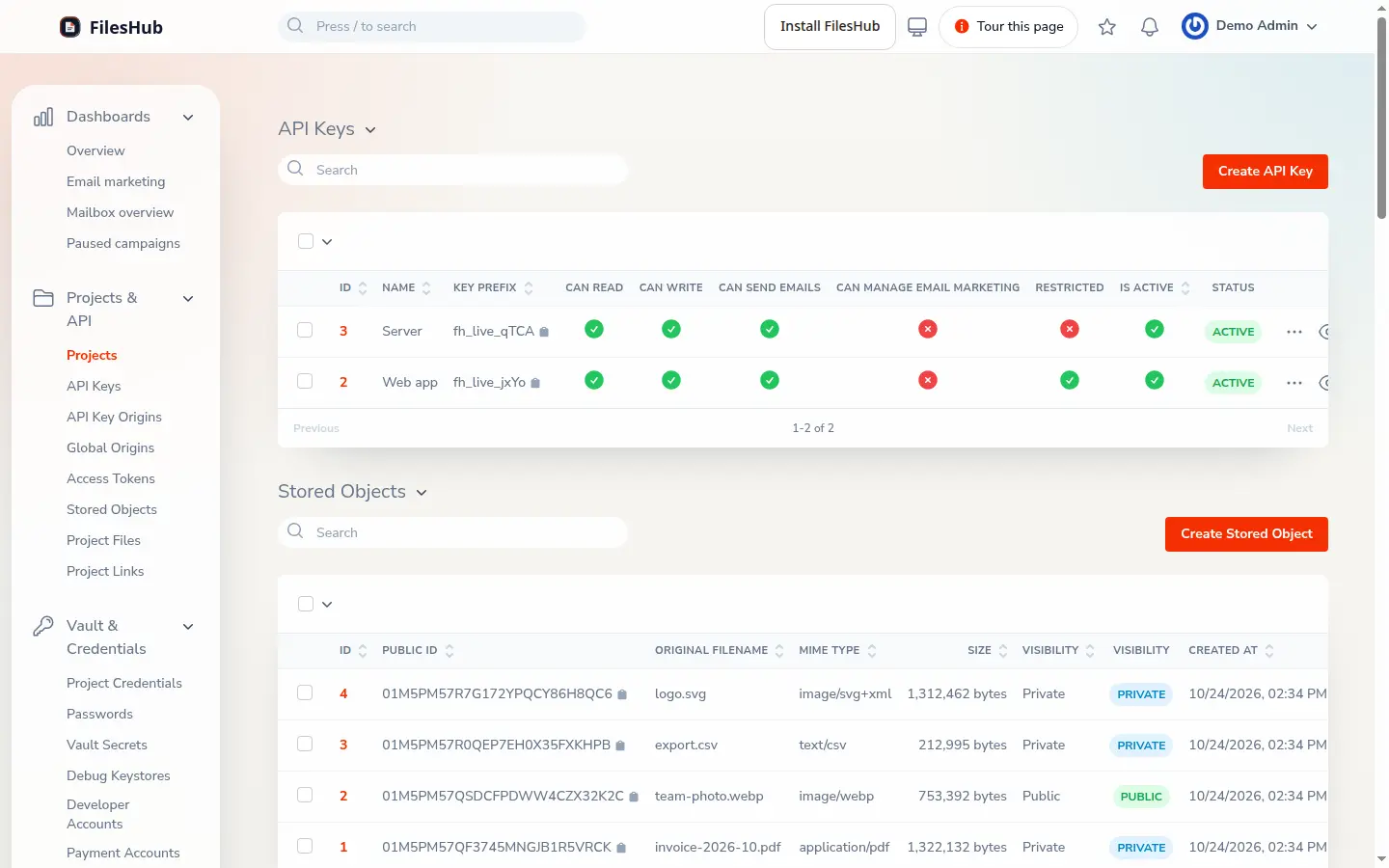
Step 1 of 7
A project and its keys
- Each app is its own project.
- A key works for its project only, scoped by permission and by allowed origin.
- Only the owner sees the full key, which stays encrypted; each view is logged.
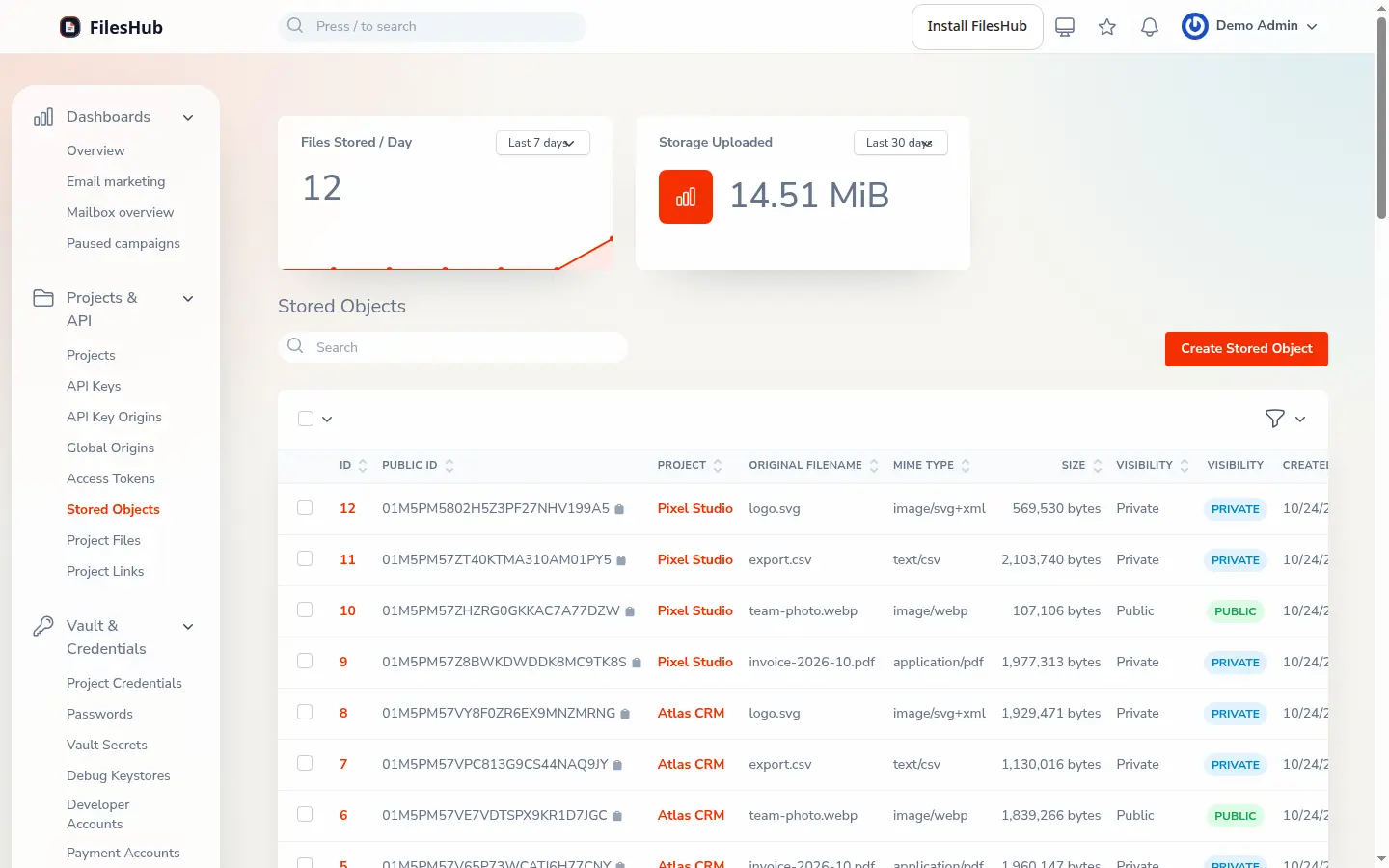
Step 2 of 7
Store files
- Upload, list, download and delete files over the API, with the project's key.
- Each file is public or private, and you choose which.
- Uploads have one size cap, and the error names it.
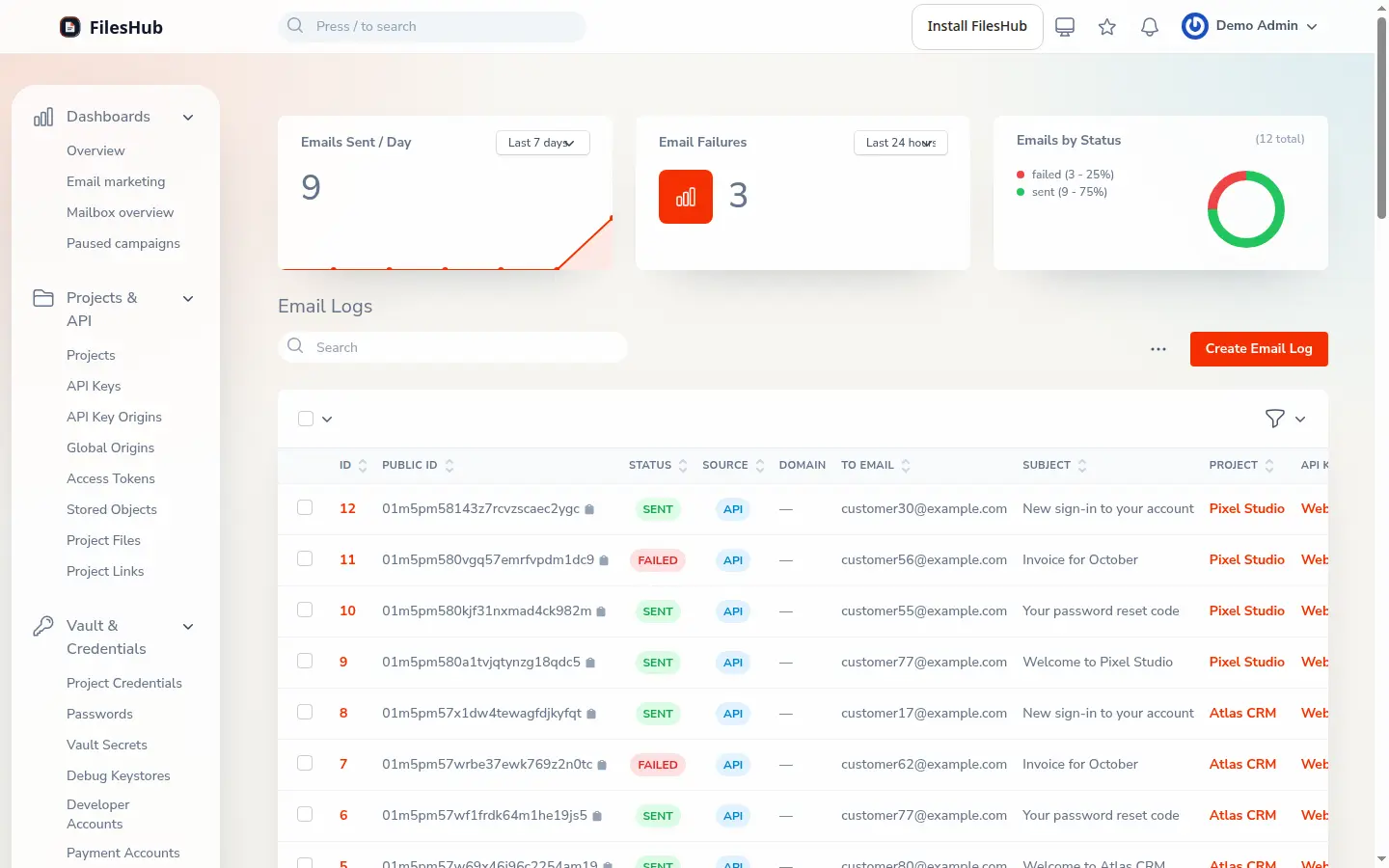
Step 3 of 7
Send email
- Send transactional email with your API key, from a saved template or your own HTML.
- Each send is logged with its status, and a failure with its reason.
- A key sends up to 100 emails a day by default; more is on request.
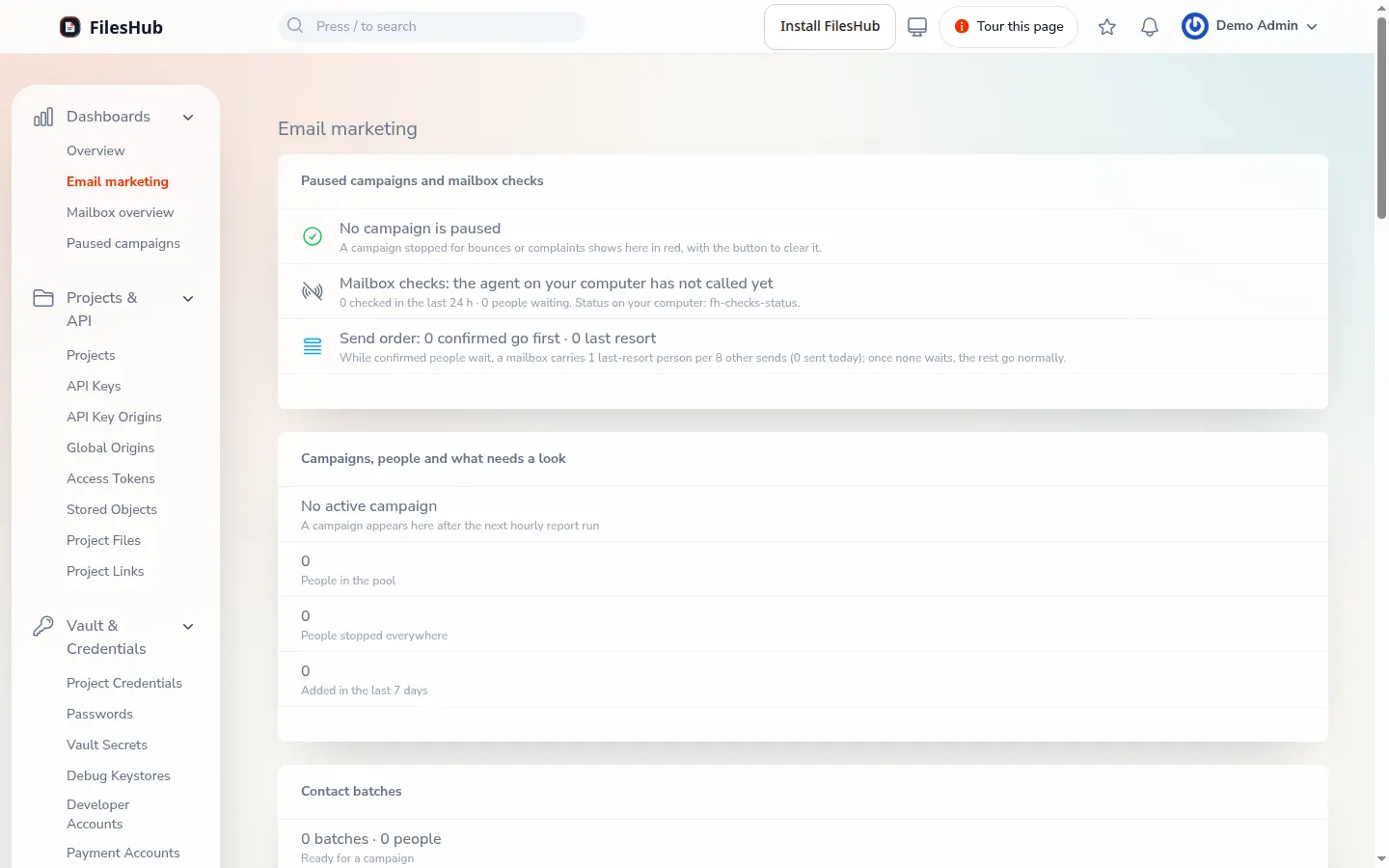
Step 4 of 7
Email marketing, on request
- Import contacts into lists, then send sequences with one-click unsubscribe.
- Mailboxes warm up first, and sending limits are tuned each night.
- Daily reports live on the dashboard; a paused campaign shows a button to clear it.
Step 5 of 7
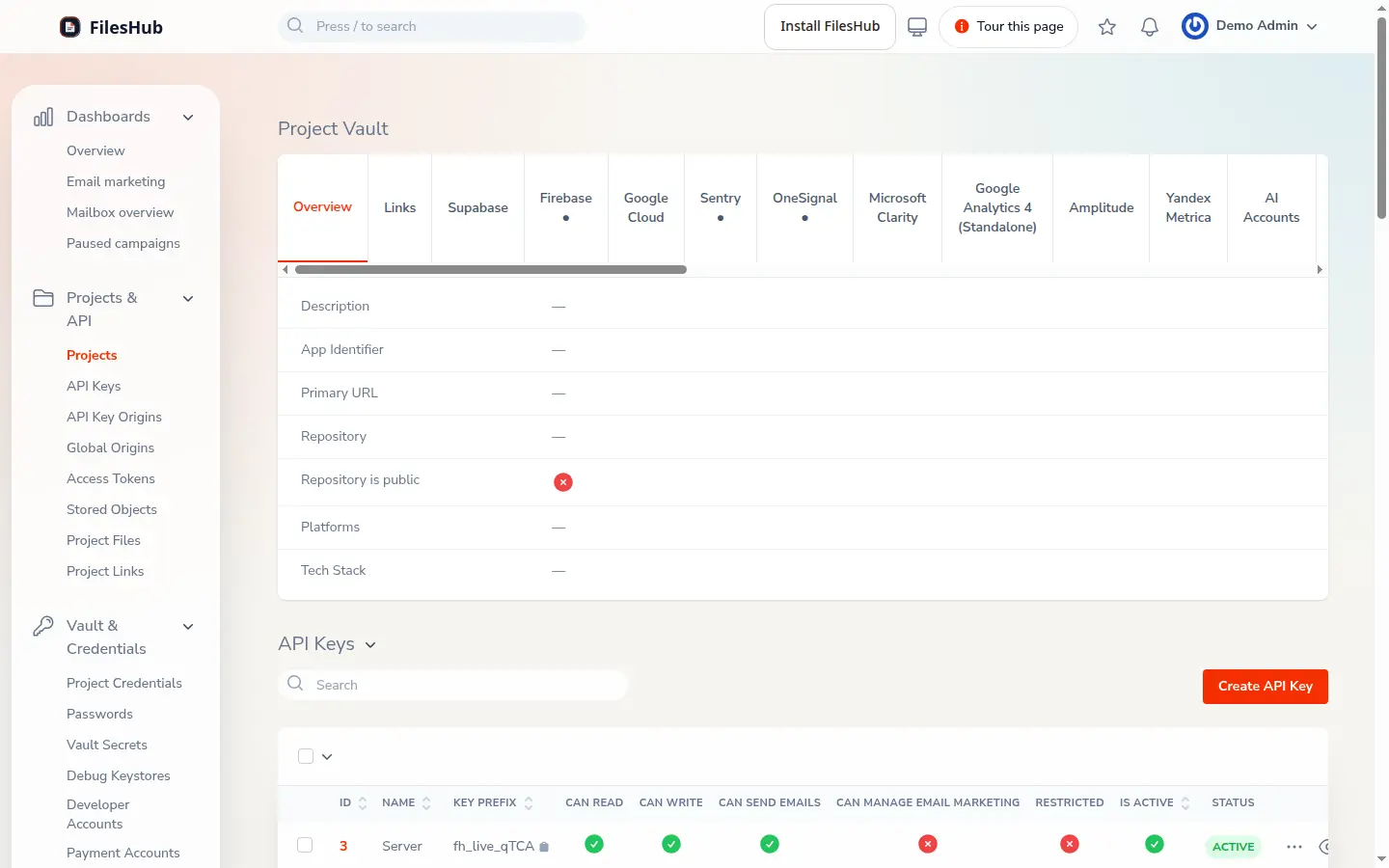
The vault, on request
- Credentials and config files, per service.
- Values stay hidden until revealed, and each reveal is logged.
- Agents and scripts read it over the management API, with their own scopes.
Step 6 of 7
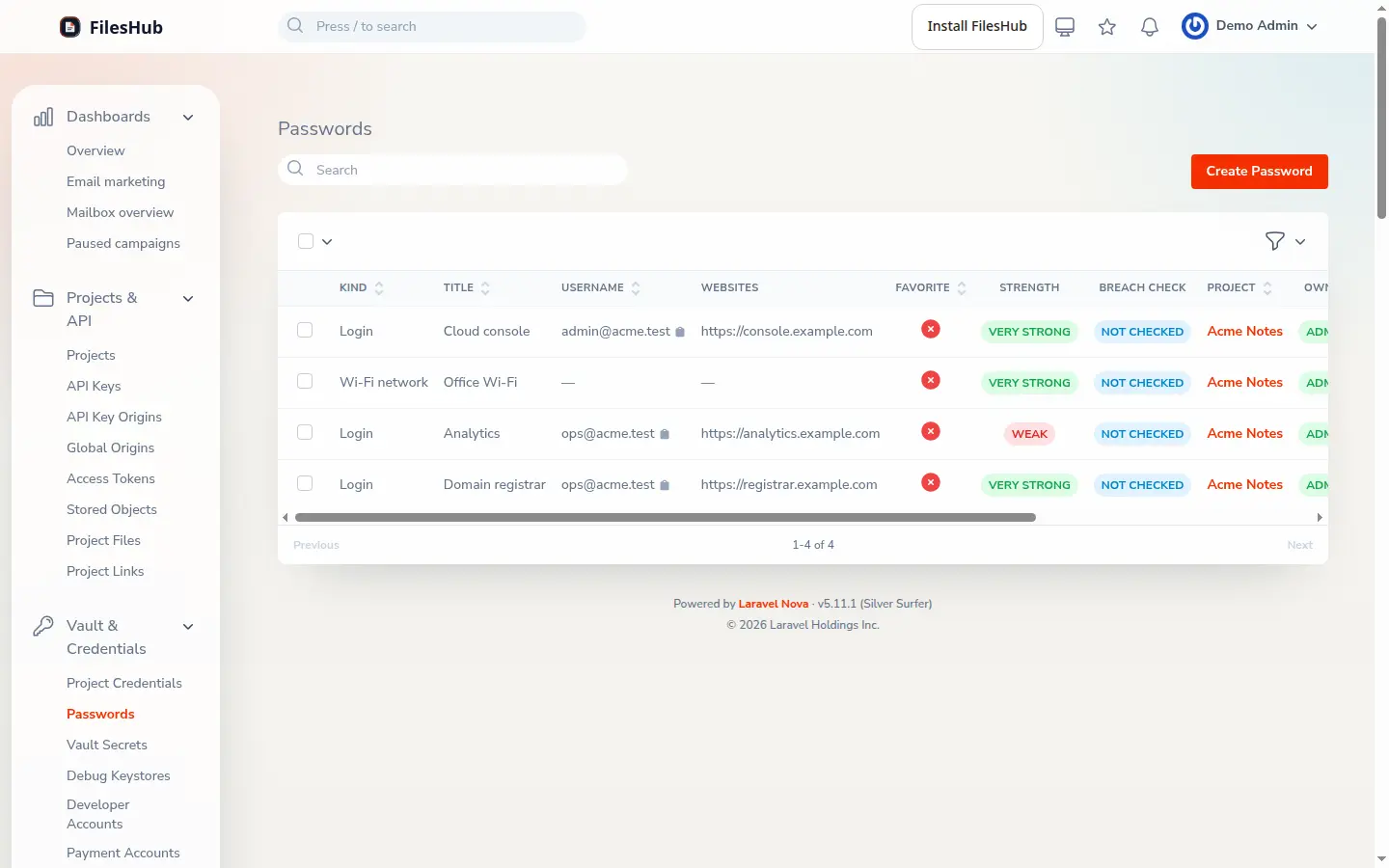
Passwords, kept per project
- Website logins and verification codes live here; service keys stay in the vault.
- Only a key given password access can reach them.
- Passwords are checked against known breaches.
Step 7 of 7
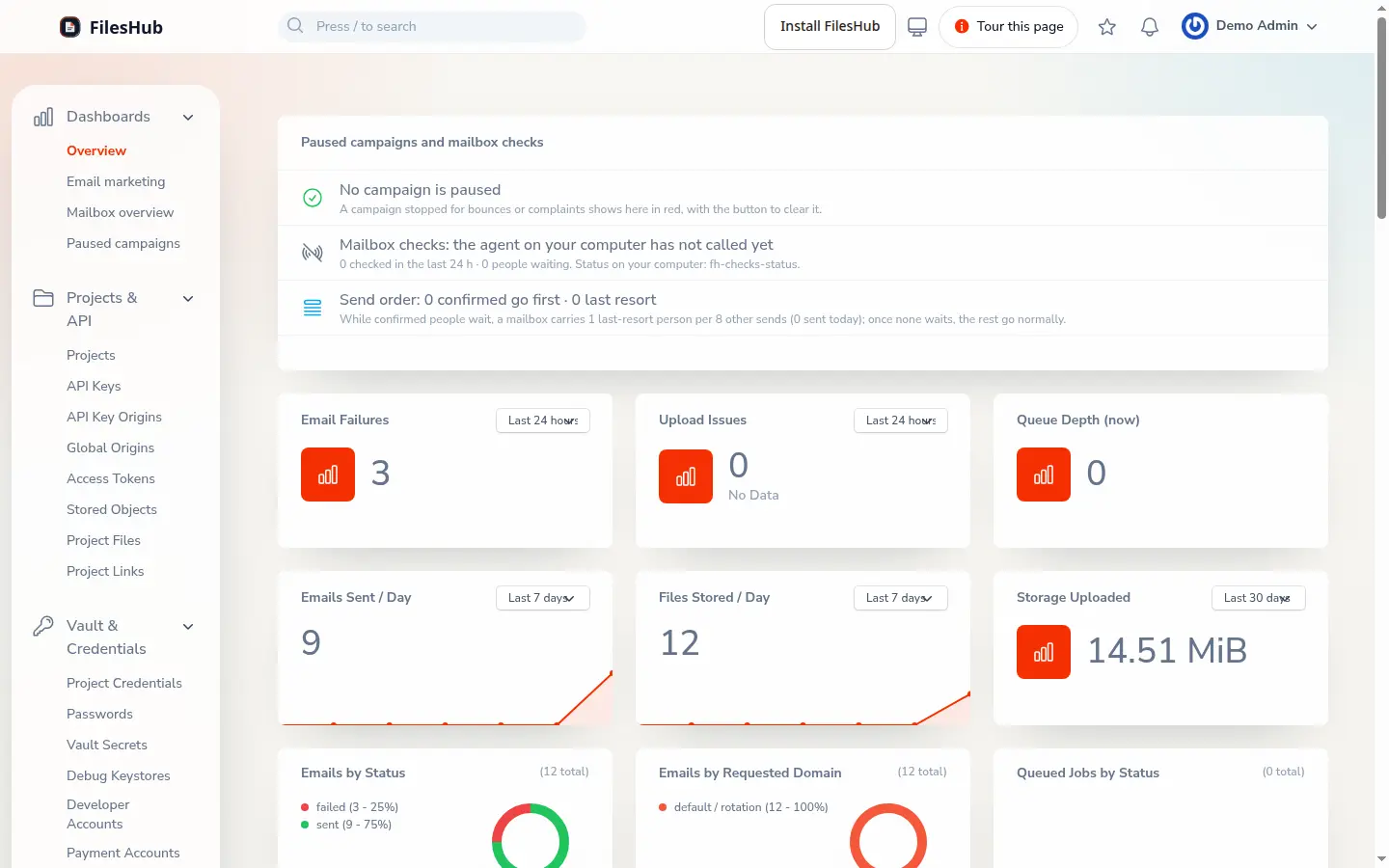
Watch it from one page
- Failures, upload issues, queue depth and paused campaigns sit on one overview.
- Priced per service, month to month; a project pays only for the ones it uses.
- The next app: one key, and you're back on the work only you can do.


